 BarShelf
Battery
Native-style battery widget — a big percentage and a level-colored meter with a matching battery glyph, read from pmset. Pure workflow, no Deno.
- Category
- System
- Type
- Workflow (no code)
- Requires
- Nothing beyond BarShelf
- Permissions
- exec:
/bin/sh - Refresh
- Every 60 s while visible
- Source
- github.com/Open330/barshelf/tree/main/widgets/battery-meter
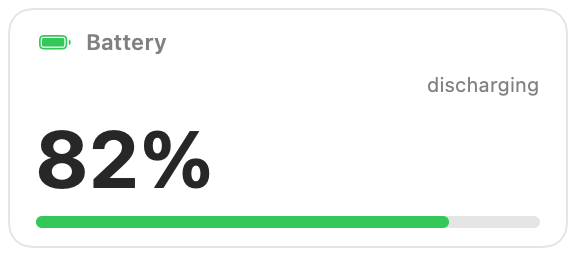
A native battery card for BarShelf: a large percentage, a level-colored meter, and the charging state, read from pmset. It is a pure workflow widget, so it needs no Deno and no extra tools.
What it shows
- The charge as a big percentage and a meter.
- The state
pmsetreports: charging, discharging, or charged. - A battery glyph and color that follow the level: green above 25%, orange above 10%, red below that.
On a Mac without a battery, pmset reports no percentage, so the card shows 0% and the state "unknown".
Permissions and refresh
The widget runs one fixed /bin/sh -c pipeline over /usr/bin/pmset -g batt; it cannot run anything else. It refreshes when the popover opens and every minute while it is visible. Clicking the card opens Battery settings.
Install
Included with BarShelf. Open the popover, go to the Gallery, and add it. BarShelf asks you to approve the permissions listed above first.
brew install --cask open330/tap/barshelf