 BarShelf
Calendar
Native month calendar grid with today highlighted — a 7-column grid built from a shell source. No external dependency.
- Category
- Everyday
- Type
- Workflow (no code)
- Requires
- Nothing beyond BarShelf
- Permissions
- exec:
/bin/sh - Source
- github.com/Open330/barshelf/tree/main/widgets/calendar
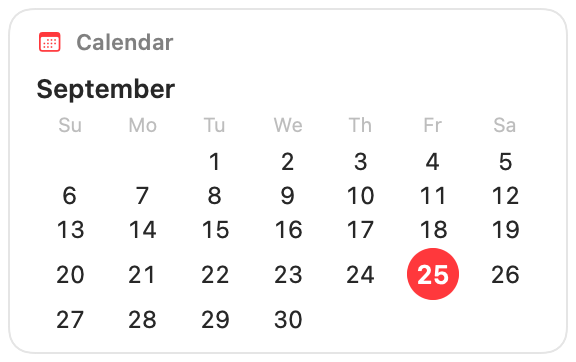
A native month calendar for BarShelf: the month name over a seven-column grid, with today highlighted.
What it shows
- The current month, starting the week on Sunday.
- Every day of the month in a grid, with blank cells before the first day so dates line up under the right weekday.
- Today as a filled red circle.
The grid is built by a fixed shell command that reads the date and the month length from /bin/date and /usr/bin/cal. It does not read your calendar events; for those, use the Next Meeting widget.
Permissions and refresh
The widget runs that one /bin/sh -c command and nothing else. It rebuilds the grid when the popover opens if the last one is more than an hour old, so it rolls over to a new day or month on its own. Clicking it opens Calendar.
Install
Included with BarShelf. Open the popover, go to the Gallery, and add it. BarShelf asks you to approve the permissions listed above first.
brew install --cask open330/tap/barshelf