 BarShelf
Clock
Native digital clock — a big HH:MM with a live seconds counter and the date. No external dependency.
- Category
- Everyday
- Type
- Workflow (no code)
- Requires
- Nothing beyond BarShelf
- Permissions
- exec:
/bin/date - Refresh
- Every 1 s while visible
- Source
- github.com/Open330/barshelf/tree/main/widgets/clock
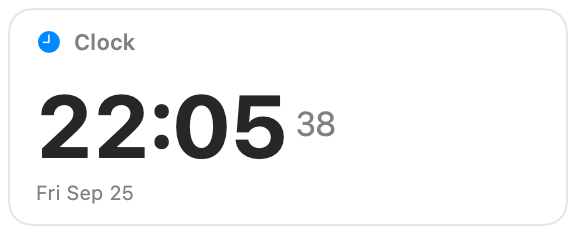
A native digital clock for BarShelf: a large 24-hour HH:MM, a live seconds counter beside it, and the date underneath.
What it shows
- Hours and minutes in 24-hour format, with tabular digits so the layout does not jump as numbers change.
- Seconds as a smaller counter.
- The weekday, month, and day, for example "Fri Sep 25".
Permissions and refresh
The widget runs a single fixed /bin/date format string and nothing else, so it has no external dependency and makes no network request. It refreshes every second while the popover is visible and pauses when it is closed. Clicking the card opens Date & Time settings, where you can change the system clock or time zone the widget reads.
Install
Included with BarShelf. Open the popover, go to the Gallery, and add it. BarShelf asks you to approve the permissions listed above first.
brew install --cask open330/tap/barshelf