 BarShelf
BarShelf › Widgets › Downloads
Downloads
Counts files in a folder and shows how many were added or removed since your last check, persisting the count across refreshes with the workflow storage layer.
- Category
- Files
- Type
- Workflow (no code)
- Requires
- Nothing beyond BarShelf
- Permissions
- readPaths:
~/Downloads - Source
- github.com/Open330/barshelf/tree/main/widgets/downloads-new
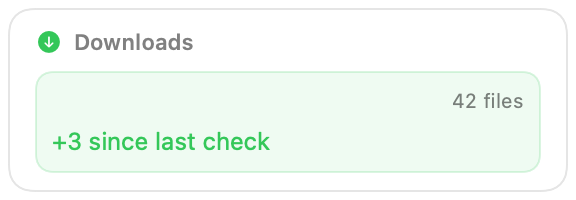
Counts the files in a folder and tells you how many arrived or disappeared since the last time you looked. The count is kept in the widget's own storage, so the difference survives between refreshes.
What it shows
- The folder name and how many files it holds.
- The change since the previous check, for example "+3 since last check", in green when files were added and orange when some were removed.
Hidden files are skipped, and the newest 500 files are counted.
Settings
| Setting | Default | Effect |
|---|---|---|
| Folder | ~/Downloads | Which folder to count. |
Permissions and refresh
The widget asks for read access to the chosen folder and for widget storage; it only reads file names and dates, never file contents. It refreshes when the popover opens. Clicking the card reveals the folder in Finder.
Install
Included with BarShelf. Open the popover, go to the Gallery, and add it. BarShelf asks you to approve the permissions listed above first.
brew install --cask open330/tap/barshelf