 BarShelf
BarShelf › Widgets › Focus Timer
Focus Timer
A persistent focus countdown with Start, Pause, Resume, Reset, a native live ring, completed-session count, and macOS notification.
- Category
- Productivity
- Type
- TypeScript script
- Requires
- Deno runtime
- Permissions
- notifications
- Source
- github.com/Open330/barshelf/tree/main/widgets/focus-timer
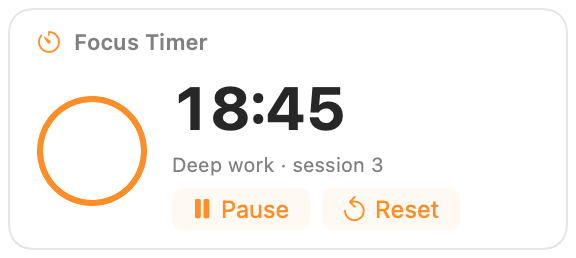
A persistent focus countdown for the BarShelf popup.
- start, pause/resume, and reset controls
- host-rendered countdown ring that ticks without rerunning the script every second
- state preserved across popup closes and script restarts
- completed-session count
- macOS notification when a session reaches zero
Setup
The default session is 25 minutes. Change Focus duration (minutes) in widget settings to any value from 1 to 120. Changing the setting does not interrupt a running or paused session; it applies after Reset or when starting again after completion.
Permissions
The widget requests notification permission only. Persistent state uses BarShelf's per-widget storage and needs no additional permission. No commands, files, secrets, or network resources are accessed.
Install
Included with BarShelf. Open the popover, go to the Gallery, and add it. BarShelf asks you to approve the permissions listed above first.
brew install --cask open330/tap/barshelf