 BarShelf
BarShelf › Widgets › GitHub Status
GitHub Status
Fetches GitHub's public status JSON over HTTPS and refreshes when your Mac wakes — an HTTP-source example.
- Category
- Developer
- Type
- Workflow (no code)
- Requires
- Nothing beyond BarShelf
- Permissions
- network:
www.githubstatus.com - Refresh
- Every 15 min while visible
- Source
- github.com/Open330/barshelf/tree/main/widgets/github-status
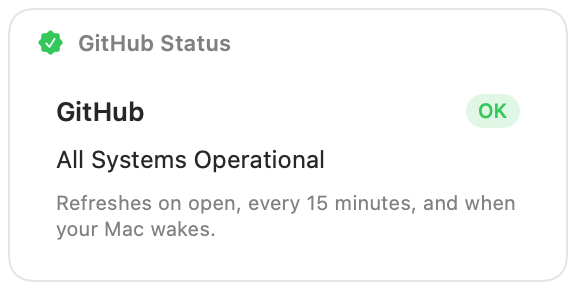
GitHub's own service status, from the public status page API, so you can tell at a glance whether a failing push or a slow Actions run is on your side or GitHub's.
What it shows
- The status page name.
- The overall level as a badge: OK in green, Minor in orange, Major or Critical in red. The menu bar label uses the same word, for example "GitHub OK".
- The status description, for example "All Systems Operational".
Permissions and refresh
The only permission is HTTPS access to www.githubstatus.com; no GitHub account or token is involved. The widget refreshes when the popover opens, every 15 minutes while it is visible, and when your Mac wakes, so a status change that happened while the lid was closed shows up right away. Clicking it opens githubstatus.com.
It is also a small example of an HTTP source with a wake trigger, useful as a starting point for any status-page widget.
Install
Included with BarShelf. Open the popover, go to the Gallery, and add it. BarShelf asks you to approve the permissions listed above first.
brew install --cask open330/tap/barshelf