 BarShelf
BarShelf › Widgets › Project Status
Project Status
A glanceable Git repository dashboard: branch, working-tree changes, ahead/behind state, latest commit, Finder, and remote links.
- Category
- Developer
- Type
- TypeScript script
- Requires
- Deno runtime
- Permissions
- exec:
/usr/bin/git - Refresh
- Every 2 min while visible
- Source
- github.com/Open330/barshelf/tree/main/widgets/project-status
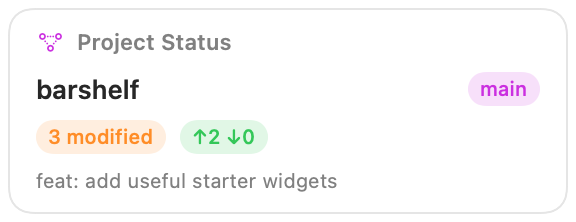
Project Status keeps the essential state of one local Git repository on the shelf:
- current branch or detached commit
- changed-file count
- upstream ahead/behind counts
- latest commit subject, hash, and relative time
- one-click Finder and repository-website actions
Setup
Open the widget settings and choose Project directory. The directory picker stores an absolute path; manually entered relative paths and ~ paths are intentionally rejected so Git never runs against an ambiguous working directory.
An origin remote is optional. GitHub SSH remotes are converted to their HTTPS project page. Other HTTP(S) Git hosts get a generic Remote action.
Permissions
The widget runs /usr/bin/git directly without a shell. Its allowlist permits only these exact argv shapes, with the selected directory occupying one wildcard argument:
git -C <directory> status --porcelain=v2 --branch --untracked-files=normal
git -C <directory> log -1 --format=%h%x1f%s%x1f%ct
git -C <directory> remote get-url origin
Git output and the rendered view are marked sensitive because they can contain local paths, branch names, and commit subjects.
Install
Included with BarShelf. Open the popover, go to the Gallery, and add it. BarShelf asks you to approve the permissions listed above first.
brew install --cask open330/tap/barshelf