 BarShelf
BarShelf › Widgets › Quick Shelf
Quick Shelf
A searchable, permission-free launcher for frequently used apps, folders, and websites, with three customizable favorites.
- Category
- Productivity
- Type
- Workflow (no code)
- Requires
- Nothing beyond BarShelf
- Permissions
- None
- Source
- github.com/Open330/barshelf/tree/main/widgets/quick-shelf
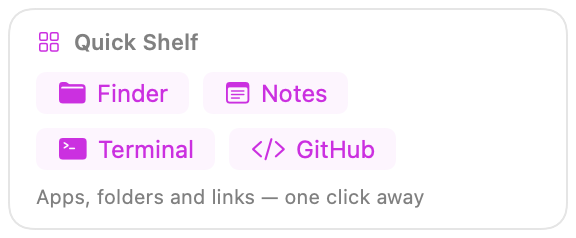
A compact, searchable launcher for the places you open every day. It ships with Finder, Calendar, and Applications shortcuts plus one customizable app, folder, and website.
Customize
Open the widget settings to change:
- the favorite app label and either its bundle ID (for example
com.apple.Notes) or displayed application name; - the favorite folder label and path;
- the favorite website label and full URL.
Start typing in Find a shortcut to filter the visible rows. Every shortcut uses BarShelf's native openApp, openFile, or openURL click action, so this widget needs no command, filesystem-read, or network permission.
Install
Included with BarShelf. Open the popover, go to the Gallery, and add it. BarShelf asks you to approve the permissions listed above first.
brew install --cask open330/tap/barshelf