 BarShelf
Weather
Native weather widget over a free HTTPS API (open-meteo, no key) — a big temperature and a condition icon for any latitude/longitude. Demonstrates the HTTP source.
- Category
- Everyday
- Type
- Workflow (no code)
- Requires
- Nothing beyond BarShelf
- Permissions
- network:
api.open-meteo.com - Refresh
- Every 15 min while visible
- Source
- github.com/Open330/barshelf/tree/main/widgets/weather
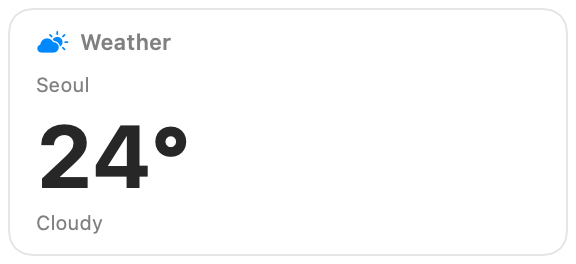
The current temperature and conditions for any place, from the free Open-Meteo API. No API key or account is needed.
What it shows
- The place name you set.
- The temperature in °C, rounded to a whole degree.
- A condition and matching icon: Clear, Cloudy, Rain, or Storm, derived from the reported weather code.
Settings
| Setting | Default | Effect |
|---|---|---|
| Place name | Seoul | The label on the card. |
| Latitude | 37.57 | Where to read the weather. |
| Longitude | 126.98 | Where to read the weather. |
The place name is only a label; the latitude and longitude decide the forecast.
Permissions and refresh
The only permission is HTTPS access to api.open-meteo.com. The widget refreshes every 15 minutes while visible. Clicking it opens the Weather app.
Install
Included with BarShelf. Open the popover, go to the Gallery, and add it. BarShelf asks you to approve the permissions listed above first.
brew install --cask open330/tap/barshelf